§ B2B Ordering
One ordering system, wired straight into AutoCount.
Customers order online, on mobile, or over WhatsApp — at their own pricing and against live stock. Every order posts back into AutoCount as a Sales Order or Invoice. One catalogue, no re-keying.
§ 01 — Where the time goes (and doesn’t)
Set it up once. Then every order loops by itself.
Watch one order make its lap: it arrives on its own, waits at Confirm & post for your one click, becomes the invoice, and finishes — delivery update included — without your team.
the engine
B2B Ordering
every order runs itself ↻
§ 02 — The Portal
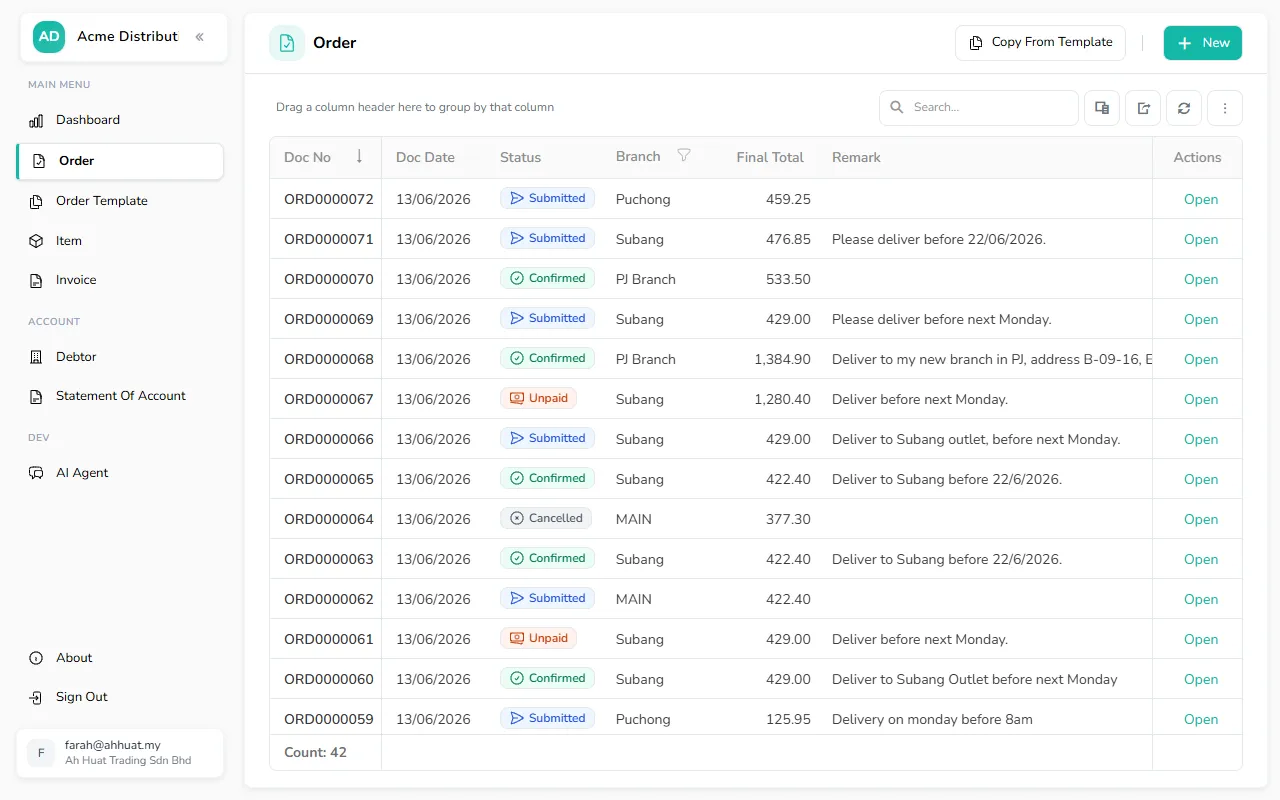
For the office: the full order desk.
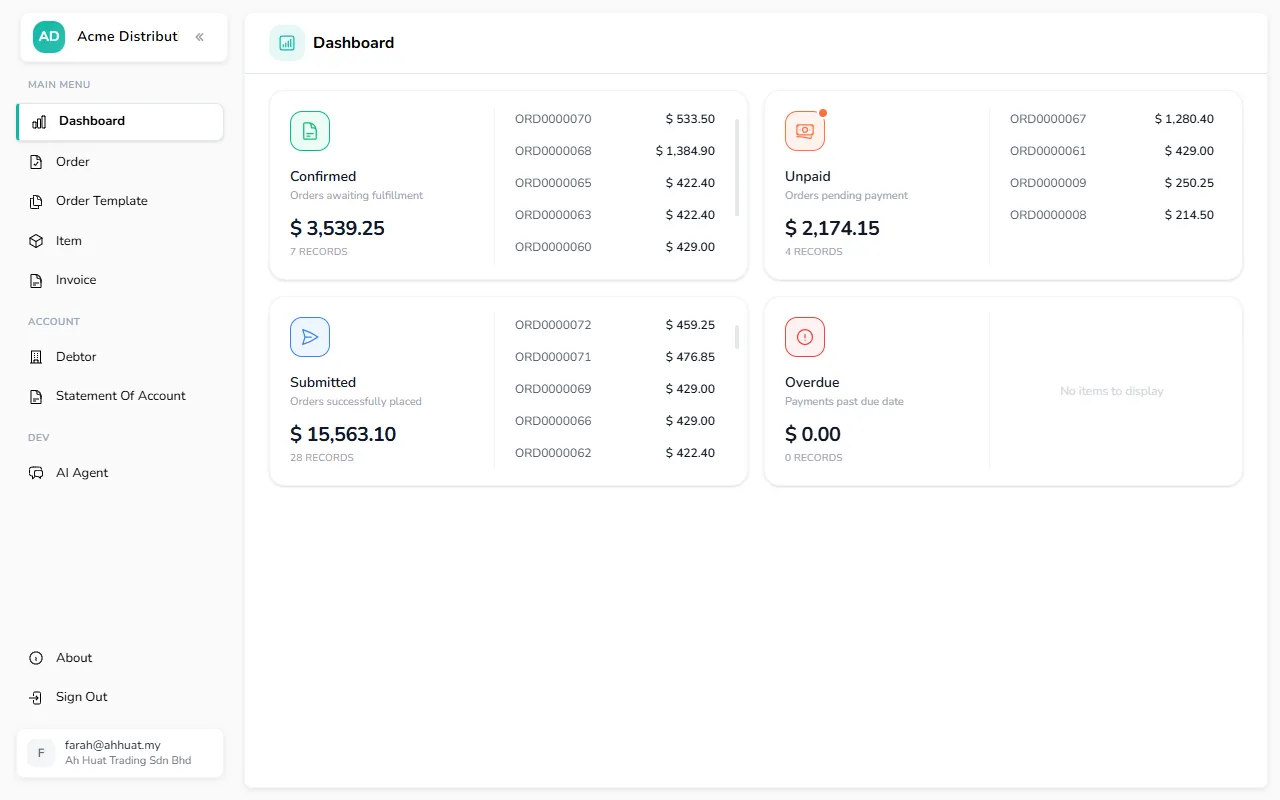
Purchasers who order every week get a proper desk — not just a form. Orders, history, documents and account in one login.
- Repeat last order or order from templates — two clicks
- Invoices & statement of account, self-serve
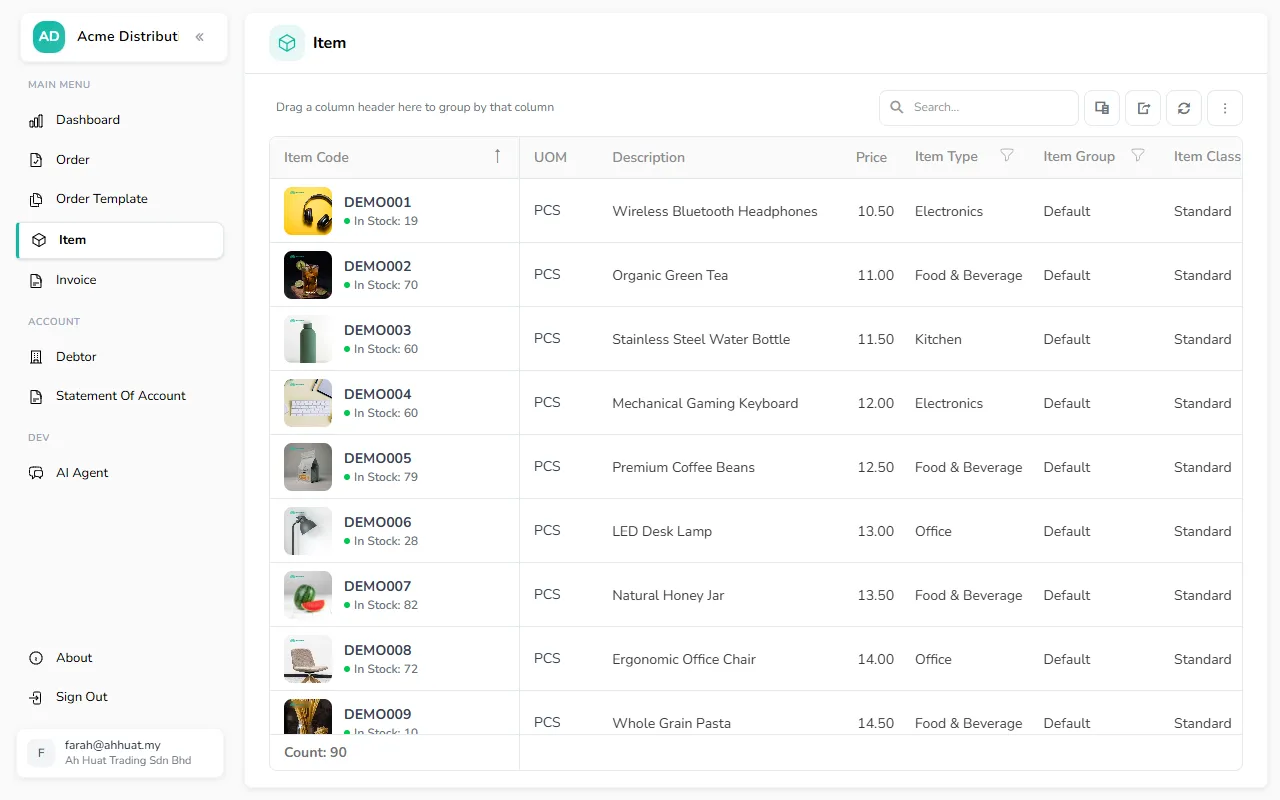
- Their pricing and live stock on every product
- Payment reminders sent automatically on overdue invoices
§ 03 — Mobile Ordering
For the shop floor: order like they shop.
Browse, cart, checkout — the flow everyone already knows from Shopee and Lazada, but with their B2B pricing behind it.
- Zero training — it works like a marketplace app
- Recent items & saved addresses for fast reorders
- Same catalogue rules — their price, live stock
Browse → cart → checkout, in the real app
§ 04 — WhatsApp · AI ordering agent
For everyone else: just send a message — an AI takes it from there.
No app, no login screen, no training. Customers order the way they already talk to you — and an AI agent does the rest: it reads the message, checks live pricing and stock, and builds a cart to confirm before placing — or, said in one line, it’s done on the spot. Watch it work live →
- The AI reads text, a voice note, or a photo of a handwritten list
- Understands Malay, English & Chinese
- “Same as last week, double the Milo” — it remembers & modifies
Type your order in plain words
§ 05 — Side by side
Different customers, same engine.
| Portal | Mobile | WhatsAppAILearn more → | |
|---|---|---|---|
| Best for | Office purchasers who order weekly | Owners & staff on the move | Anyone who'd rather just message |
| Feels like | A proper order desk | Shopee / Lazada | Texting your salesperson |
| Catalogue | |||
| Search & filter to the right productby group, brand, attribute | Natural language | ||
| Browse catalogue with photos | |||
| Your own pricingcontracted, per customer | |||
| Live stock levels | |||
| Quick ordering | |||
| Reorder from a past order | |||
| Order from a saved template | On request | ||
| Order from an imported fileExcel · PDF on request | — | — | |
| Order by voice, photo or chatspeak or snap · EN · MY · CN | — | — | |
| Billing & statements | |||
| Invoices & outstanding balance | On request | ||
| Statement of account (PDF) | On request | ||
| White-label branding | |||
| Logo, theme & name | |||
| Custom domain | — | ||
§ 06 — Into AutoCount
And every order ends up here.
This is the part that saves the hours. Whichever doorway the order came through, your team inquires it in AutoCount and posts it in a click — straight to a Sales Order or Invoice. The order a customer placed becomes the document you bill from.
- Inquire orders placed across every channel
- Post to Sales Order or Invoice in a click
- No re-typing from emails or chats
Inquire → post → Sales Order / Invoice, in real AutoCount
§ Get started
See B2B Ordering on your catalogue
Tell us how your customers order today and we’ll show you the round-trip running on your own AutoCount data.